
One of the things I have really missed in Clarion 9 is the properties toolbar in the window designer. It made it quick to edit text on labels, change font etc.
Today, as I was looking for something completely unrelated, I found my old missing friend! To enable it, go to the "Tools | Options" menu and then follow the screenshot below.
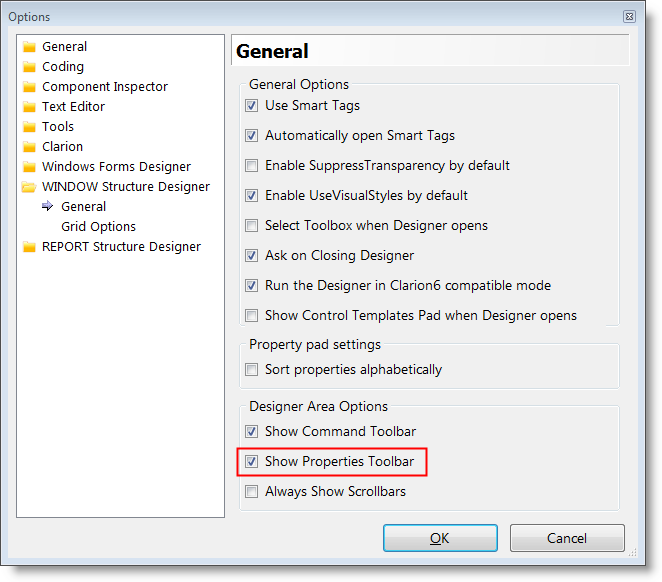
The next time you open the Window Structure designer, you'll see the toolbar again. It can't be moved, likt it could in the old IDE, but at least it's there:)
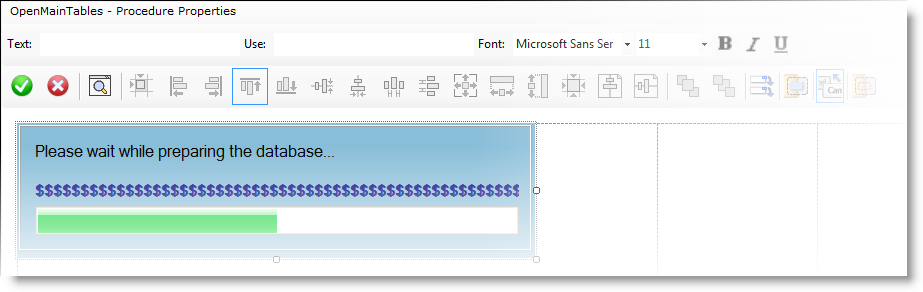
The only thing I'd add to it is the option to change font color.
Arnor Baldvinsson
2 Comments